
Wysiwyg Content
WYSIWYG is an acronym for “What You See Is What You Get”.
In the context of text editing, a WYSIWYG editor allows the user to format and layout text visually, using tools similar to those of a traditional word processor. Changes made to the text, such as bolding, italicising, underlining, adding lists or tables, are reflected directly on the screen.
Users can simply drag and drop items, such as images, onto the screen.

or shortcode like Buttons
Contact usand instantly see them arranged on the screen in the way you want.
____
In short, WYSIWYG is an approach that allows users to see the end result of their work as they create it, without having to worry about the technical details of the formatting or publication process.
____
⚠️ Please note that when you copy and paste text (CTRL+C / CTRL+V), the text may contain unwanted tags, such as:
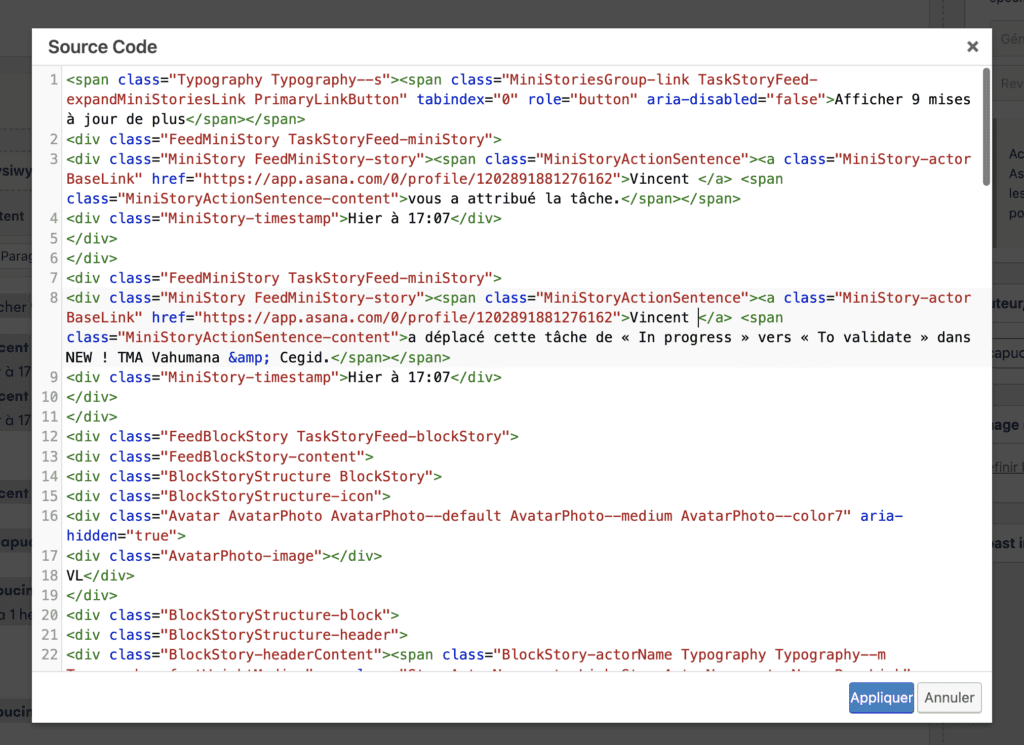
Remember to paste the text without formatting:
SHIFT + OPTION + COMMAND+ V (MAC)
CTRL + MAJ + V (PC)