
Storylane iframe
What is Storylane?
Storylane is a solution that allows you to create interactive product demonstrations. With this service, you can integrate guided, immersive, and clickable walkthroughs into your pages to showcase a feature or an application flow in a dynamic way.
You have access to a dedicated component that lets you embed a “Storylane iframe” directly within a page or inside a modal popup.
Embedding a script directly into the page
- Select the “Storylane iframe” component
This component allows you to embed a demo without using a modal. - Paste the full code provided
Copy and paste the entire div block generated in Storylane, for example:
<div>
<script async src=”https://js.storylane.io/js/v2/storylane.js”></script>
<div class=”sl-embed” style=”position:relative;padding-bottom:calc(50.00% + 25px);width:100%;height:0;transform:scale(1)”> <iframe loading=”lazy” class=”sl-demo” src=”https://app.storylane.io/demo/aqzre9qkyyan?embed=inline” name=”sl-embed” allow=”fullscreen” allowfullscreen style=”position:absolute;top:0;left:0;width:100%!important;height:100%!important;border:1px solid rgba(63,95,172,0.35);box-shadow: 0px 0px 18px rgba(26, 19, 72, 0.15);border-radius:10px;box-sizing:border-box;”></iframe>
</div>
</div>
This will render as follows (the examples below are in French) :
Embedding one or several scripts using a modal popup
You can embed a Storylane script to display a product demo inside an interactive modal. To do so, go through another component, such as “Argument – Solution”, then select the 🎬 Storylane tab from the shortcode Button options.
- Open the “Button” shortcode
A new “Storylane” tab is available after Post, URL, Modal & Anchor. - Retrieve the demo URL
From the script generated in Storylane, copy only the part of the URL that contains “demo”.
For example, from the snippet above, you should extract the following: https://app.storylane.io/demo/aqzre9qkyyan?embed=inline
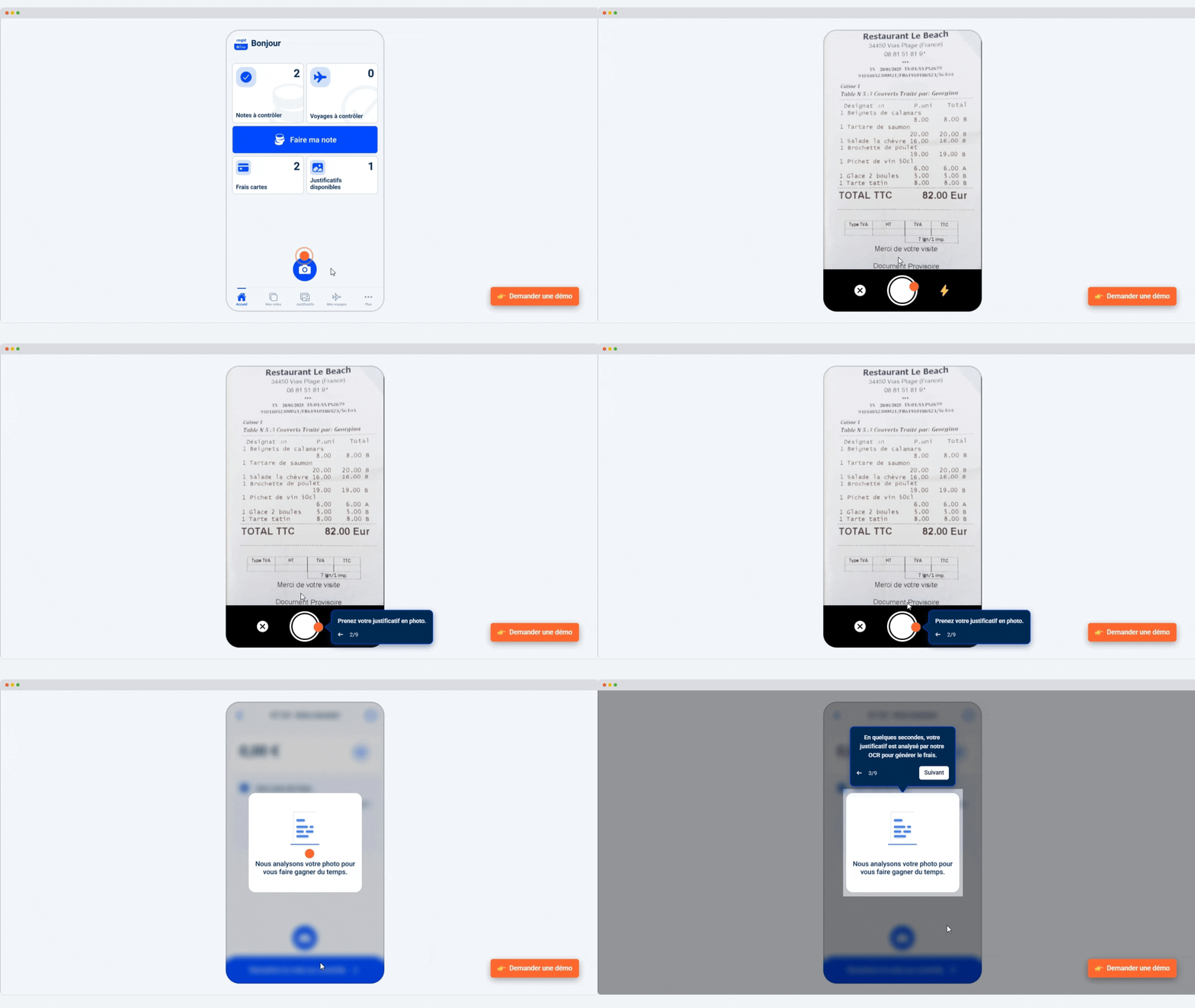
Création d’une note de frais
Grâce à l’intelligence artificielle, une photo du justificatif suffit pour créer un frais conforme à votre politique de remboursement.
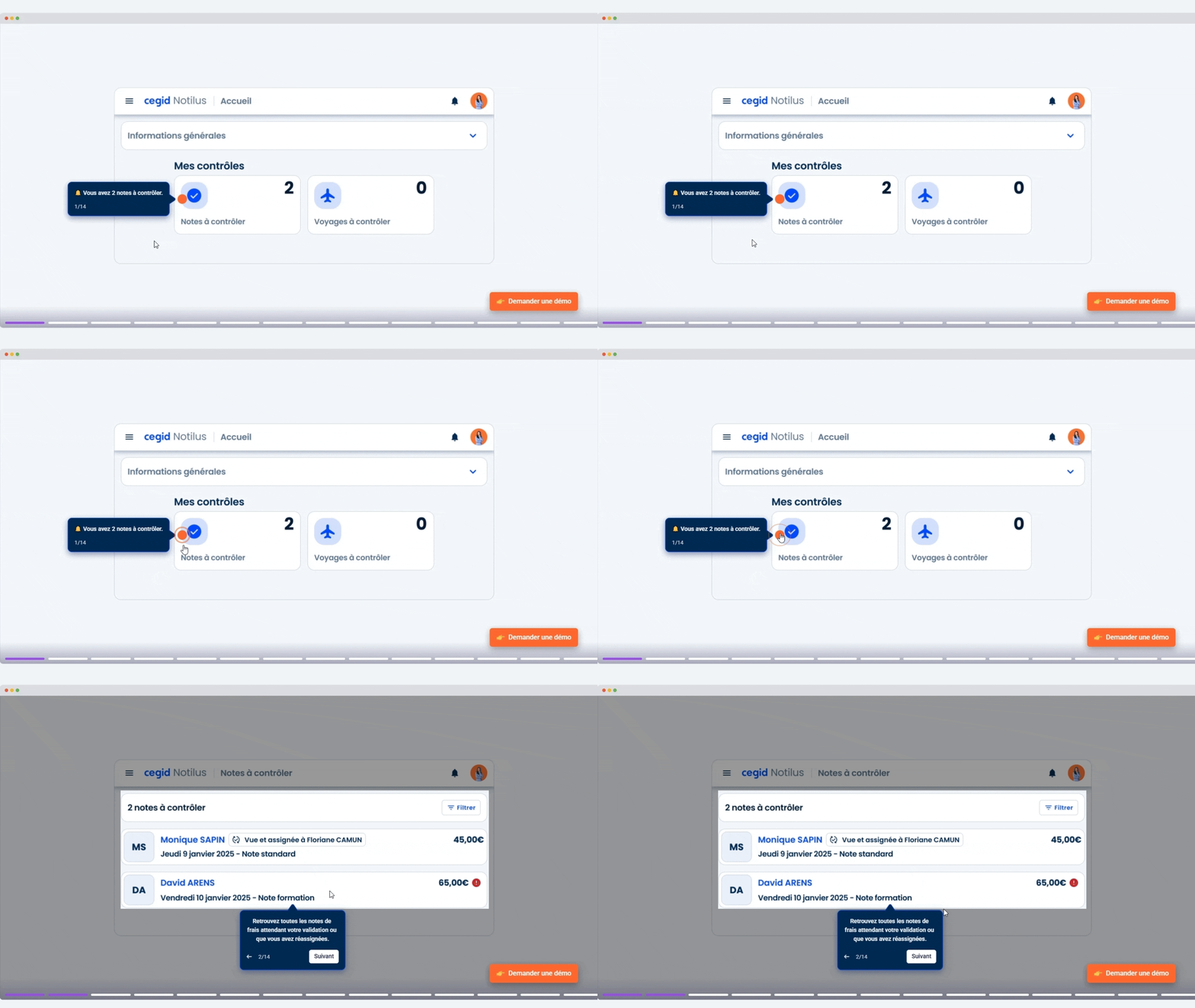
Validation de notes de frais
Contrôlez les frais un en un clic grâce à l’intégration de votre politique remboursement.
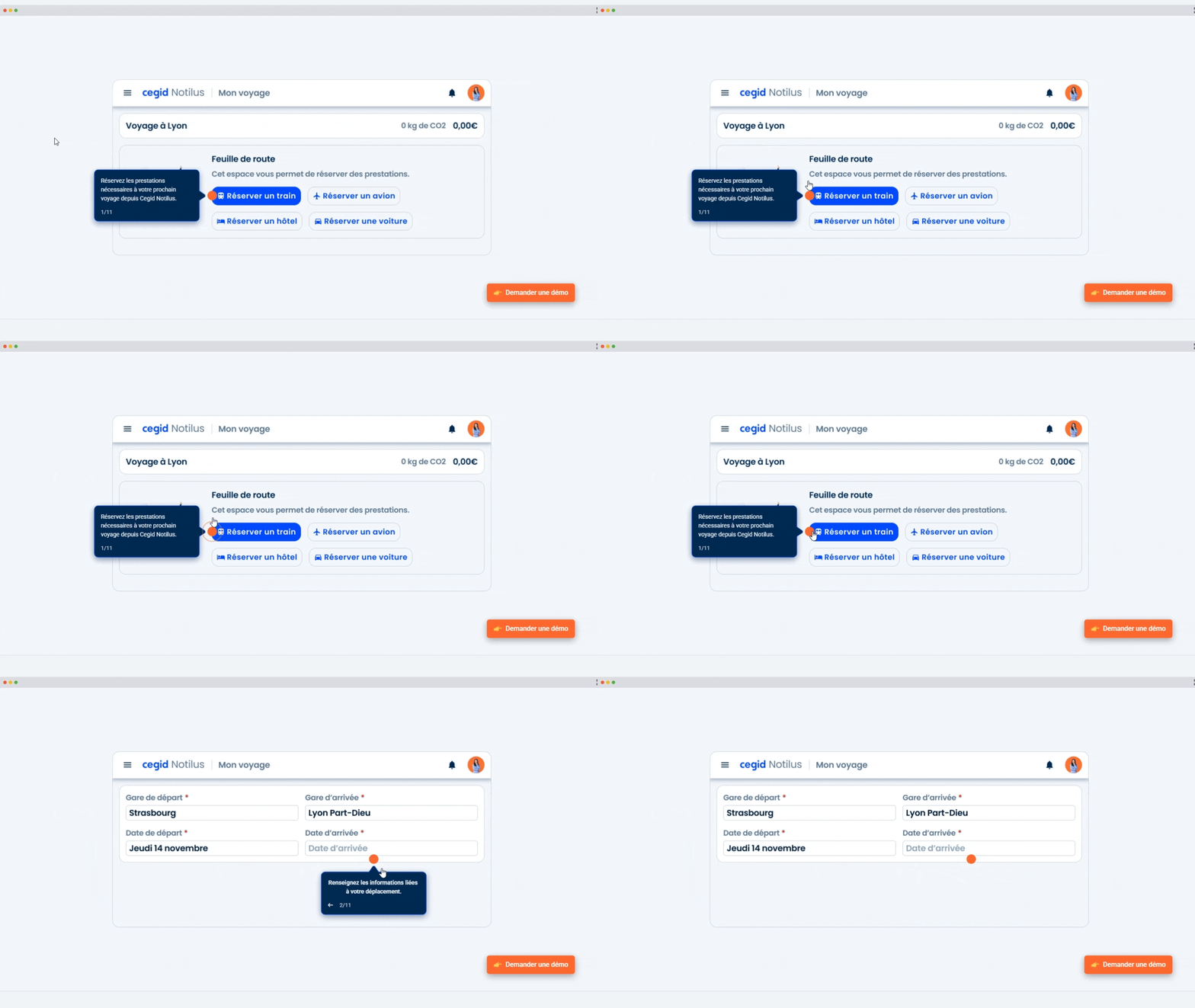
Réservation d’un déplacement
Organisez facilement vos déplacements et effectuez vos réservations directement dans Cegid Notilus.